
Gotcha. Change is happening as weYeah, you do not need 30. Commercial is usually set up for ideal angles and lighting so they can run higher FPS and have a lot more horsepower in terms of CPU and programming than we use. That may be contributing to the problem for your angle. My other LPR is running 8 FPS.
Triggering for Rear License Plate
- Thread starter icpilot
- Start date
You are using an out of date browser. It may not display this or other websites correctly.
You should upgrade or use an alternative browser.
You should upgrade or use an alternative browser.
ProTapper
Getting the hang of it
Good news, bad news.
Good news is, this is the current nighttime capture:

Bad news is, this is the Alert capture sent to Plate Recognizer about 4 frames in advance of the good image:

The actual 2-second capture is here:
View attachment MPVFLPR.20210816_161449_1.mp4
I am really really really close to getting good images both day and night now. Problem remains variation in speeds of the vehicles. If Plate Recognizer allowed submission of 5 frames, then it would probably be no problem. To accomplish this I ended up using a clone of an overview camera and setting zones in the cloned camera to trigger the LPR camera. In that manner I am able to trigger a capture from the leading edge of the vehicle even when it's outside the LPR camera FOV. I'll post some images tomorrow.
Good news is, this is the current nighttime capture:
Bad news is, this is the Alert capture sent to Plate Recognizer about 4 frames in advance of the good image:
The actual 2-second capture is here:
View attachment MPVFLPR.20210816_161449_1.mp4
I am really really really close to getting good images both day and night now. Problem remains variation in speeds of the vehicles. If Plate Recognizer allowed submission of 5 frames, then it would probably be no problem. To accomplish this I ended up using a clone of an overview camera and setting zones in the cloned camera to trigger the LPR camera. In that manner I am able to trigger a capture from the leading edge of the vehicle even when it's outside the LPR camera FOV. I'll post some images tomorrow.

Every now and then the trigger and capture work perfectly.
Here is the Alert image from the cloned overview camera:

And here is the actual Alert image from the LPR camera. It all worked just right with Plate Recognizer returning the correct reading.

Here is the Alert image from the cloned overview camera:
And here is the actual Alert image from the LPR camera. It all worked just right with Plate Recognizer returning the correct reading.
Discovered a problem today with the quality of the image sent by BI to Plate Recognizer. I was online watching a few captures and I noticed this large SUV which seemed to be in a good position to capture returned no result from Plate Recognizer. The automatic image uploaded by BI (from the Plate Recognizer dashboard) is this one:
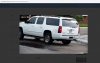
I then reviewed the capture to get the same frame sent to Plate Recognizer and through BI's Testing and Tuning I used the Analyze with Plate Recognizer which uploads a pic to PR. That pic is shown here:
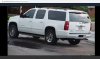
Then PR recognized the plate with a score of 87 percent. The setting in BI is to Add a Hi-res JPEG file to Alerts when a Trigger occurs, so I am now confused about the obviously lo-res photo sent to PR. Maybe BI is using the substream for images sent to PR?
I then reviewed the capture to get the same frame sent to Plate Recognizer and through BI's Testing and Tuning I used the Analyze with Plate Recognizer which uploads a pic to PR. That pic is shown here:
Then PR recognized the plate with a score of 87 percent. The setting in BI is to Add a Hi-res JPEG file to Alerts when a Trigger occurs, so I am now confused about the obviously lo-res photo sent to PR. Maybe BI is using the substream for images sent to PR?


I do not have sub streams set up on my LPR cams. So that has never been a problem for me. If you have sub streams set up on that cam, it may be that BI sends that capture to PI?
I do not have sub streams set up on my LPR cams. So that has never been a problem for me. If you have sub streams set up on that cam, it may be that BI sends that capture to PI?
Yes, BI was sending an image from the substream. During a Teamviewer session wittaj was able to identify that, along with a workaround using the Pre-trigger buffer (setting to 1.5 sec). Alternatively, I could (and probably will) restrict the LPR camera to only main stream.