Orllo z10 cam- Blue iris
- Thread starter kripp_83
- Start date
You are using an out of date browser. It may not display this or other websites correctly.
You should upgrade or use an alternative browser.
You should upgrade or use an alternative browser.


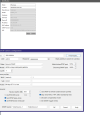
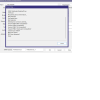
Assuming the camera's default IP is on the same subnet as the BI server and you inserted into BI the IP, username, password and clicked on "Find/inspect", please post a screenshot of the results popup.Hi been member long time but first time i post.
I bought a Ptz camera i cant get to add in blue iris. cant find it even tho i know the ip adress of it. never had this problem before. i can add sreenshots, if so let, me know of what.
The manufacturer's Polish site, orllo.pl, blocks my access for some reason. I did find specs here and it states there's is a RTSP stream and that it's ONVIF-compliant.
If BI's Find/inspect doesn't work, try ODM. Insert user/pass and it should find the camera if it is ONVIF-compliant. Click on "live video" in middle column and the RTSP URL should appear down at bottom of the right hand screen.

Go to camera settings => PTZ/control, insure it's enabled (check the box), in the drop-down menu for the camera brand try "ONVIF" and click on "OK"I got video to work but ptz doenst work , and dont know how to ...
Now that you have video, can you post a screenshot of the configuration page AFTER you did the "Find/Inspect"?
I'd like to see the video stream URLs and the "Discovery/ONVIF" port used.
I'd like to see the video stream URLs and the "Discovery/ONVIF" port used.
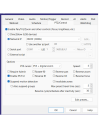
OK, see my post #5.
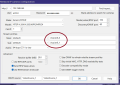
Tony: Do you mean screenshot of this?
I had to add the main and sub stream to get it to work. as you can se in first pic it get bad response when try to connect to camera, weird.
Enable ONVIF on your camera using the manufacturer's mobile app or web interface.
Then do the "Find/Inspect" again.
If the popup from that doesn't reveal more than the first time change the "Discovery/ONVIF" port from 80 to 8899 and try F/I again.
Then do the "Find/Inspect" again.
If the popup from that doesn't reveal more than the first time change the "Discovery/ONVIF" port from 80 to 8899 and try F/I again.
No embeded webGUI when you open a browser to 192.168.8.64?ive been looking in both their apps O-Kam and O-kam pro but cant find this option anywere.
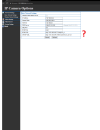
On the BI page shown in your post #8, change the "Discovery/ONVIF" port to 10080, click OK and then perform another "Find/Inspect", then post a screenshot of those results as you did in your post #3.I dont know what todo with that ONVIF adress tho?
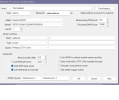
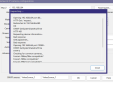


Dang, what you had in your post #8 at least displayed your video streams; I'd set the Discovery/ONVIF port back to 80 and pur the main and sub stream URLs back as you had it. Was hoping to get the PTZ working via ONVIF.I get no video stram and it says error: ffffff ( docket error) o

i copy the stream profiles from ODM,Have you manually selected the stream profiles from the drop down?
In the 1st screenshot they don't look right and in the 2nd screenshot no address is selected at all.