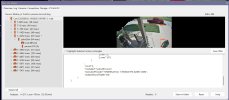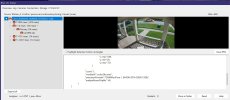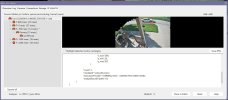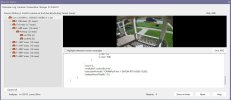
Finally updated to 6.0.8.5 from BI 5.

Andykev

Getting the hang of it
Jun 21, 2021
71
42
SF Bay Area
Went pretty smooth. I did the backups and copied my license down.... but simply downloading the latest version and doing the install was all automatic.
The only hiccup was I forgot how to set BI6 as a "service" but figured it out. Then the AI wasn't working until I checked the "use local AI" box. I downloaded the AI files, but it was
unnecessary, they were already installed. I then deleted Code Project AI.

So far, the AI works better for detecting motion/cars/people, etc. The UI also give the proper Icon (person, vehicle, animal, etc) where as before I had a lot of alerts showing with no icons.

All in all, I like ver 6.
 
You will be happy you updated. I am glad that the additional models are finally working like it should with this 6.0.8.5 update! Now I can finally test yolo26m on just one of my cameras while using yolo26s on all the others. :D
 
Well, so far yolo26m works fine but is not as fast as yolo26s, but I just wanted to test the "additional models" in BI and it works fine. Switching back to model yolo26s is just one click.....try that in codeproject LOL.


Screenshot 2026-06-28 102654.jpg
 
  • Like
Reactions: Flintstone61
I think I'm going to take the plunge. I've been running Ver 5.99.17(12/21/24). I have done all of the exports for system and cameras. , I even imaged my drive in case all hell breaks loose..

I have 13 cameras and run AI on 8 of them w/ CPAI.

Here are my big concerns at the moment.

Will the upgrade carry over all of my AI settings to be used w/ the new AI? Do I need to write them down before hand?
I'm concerned over the IP banning. I remote into the server locally and use my phone to remote in when I'm not at home.
Will my Pushover settings transfer or will I need to write those down.

Thanks for any info.
Michael
 
Last edited:
@Tinman Where are you getting the additional models?
 
Last edited:
@Tinman Where are you getting the additional models?
Read through this thread.


@Tinman posted the small and medium yolo26, and also gave some great information on testeing.

Michael
 
Yes, and BTW, if you want to get the 6.0.8.5 update you need to download it from BI manually. It shows 6.0.8.4 as the latest, but just download that, it is actually 6.0.8.5 file. The installer is in a goofy state at the moment as it only shows 6.0.8.4 as the latest in BI itself.

Screenshot 2026-06-29 135830.jpg
 
Yes, and BTW, if you want to get the 6.0.8.5 update you need to download it from BI manually. It shows 6.0.8.4 as the latest, but just download that, it is actually 6.0.8.5 file. The installer is in a goofy state at the moment as it only shows 6.0.8.4 as the latest in BI itself.

View attachment 245652
@Tinman, sorry was that yes to my questoins about upgrading a few messages ago?

Going to do the install this evening.

Thanks
 
@Tinman, sorry was that yes to my questoins about upgrading a few messages ago?

Going to do the install this evening.

Thanks
As long as you backup your BI registry you can go back to BI5 no problem. The AI works much better now than the codeproject and is just plain simple to use now. Some people have trouble getting the AI to work in BI if codeproject is running. So be sure to kill that service. Have fun !
 
  • Like
Reactions: mvoss