Blue Iris 6 ALERT_DB and ALERT_CLIP return -1

William Nelson

Young grasshopper
Jan 7, 2017
41
3
I’m trying to send a Blue Iris alert after the alert has finished processing, but I have also sent it while the recording is happening.

I have tried the msg.exe trick to see what the variables are set to at different times and no matter what I try with all sorts of waits and timing, I can never get any kind of value in the ALERT_DB, ALERT_CLIP, MEMO, or JSON. To clarify, ALERT_DB and ALERT_CLIP both return -1, while MEMO & JSON always return nothing.

ALERT_PATH, ALERT_TIME, and CAM do work though, so I know I am in an "active alert".

My alerts in the alert list are also showing the person: 92% from AI, so I know it is being processed. I am also doing this with the "on trigger" vs the "on reset" option.

At what point are ALERT_DB, ALERT_CLIP, and MEMO evaluated in a Blue Iris 6 action set?

Blue Iris version: 6.0.8.5
Recording mode: When Triggered
AI provider: Blue Iris built-in AI
 
Are you triggering the camera via the lightening bolt icon on the Action Set editor, by walking across the camera's field of view?

You may need to tweak the msg.exe window's self-closing timeout period so the popup window remains on screen until you can get back to the monitor.
 
Are you triggering the camera via the lightening bolt icon on the Action Set editor, by walking across the camera's field of view?

You may need to tweak the msg.exe window's self-closing timeout period so the popup window remains on screen until you can get back to the monitor.
I have tried triggering by doing it via the "Trigger Now" on the camera, the lightning bolt in the action menu, and an organic trigger. None of them will provide any value.

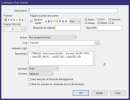
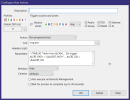
Msg.exe is not a dynamic dialog. Msg.exe doesnt close for me, it doesnt disappear, I am able to see each one and it is still no value. I have added it in multiple actions so that I can trigger a dialog several times in the lifetime of the alert and each one still doesnt show a value. Something like this:
1783921778195.png

1783921816658.png

1783921852037.png
 
Last edited:
Maybe this is the reason... &ALERT* type macros will not resolve from a 'Camera settings' > Motion/Trigger tab > 'On trigger...' Action Set because they haven't been set yet.

Instead, use the msg.exe Action from the 'Camera settings' > Alerts tab > 'On alert...' Action Set.

Also, you do not need to set/specify the Camera in the Run-a-program Action dialog. I leave mine as '(default)'. When I saw that you were setting it in your screenshot, I wondered if that might cause an issue, but in my tests it seems fine. So you don't need to change it. My default preference is to avoid unnecessary settings.

Background: Ken added the Camera control to the Run Action on my request in Apr 2022 (5.5.6.14). The benefit was that we could now use camera-specific macros (e.g., &CAM, %k, %007, %f, %006) in global (non-camera) Action Sets -- for example, BI Settings > Schedule > 'Execute action set each...' > Edit. From this example Action Set, I use the Camera control to facilitate the periodic logging of camera-specific properties, like bitrate and FPS.
 
Last edited:
Currently I'm test running these two actions from the 'On trigger...' and 'On Alert...' Action Sets, respectively:

1783958697884.png 1783958752153.png

They are working as expected...

1783959206635.png
1783959234742.png


(Note: these two example screenshots are representative. As evidenced from the title bar timestamps, they are not from the same trigger event. If they were, the 'On trigger...' msg.exe popup should have a timestamp <= the 'An alert...' popup timestamp.)
 
Last edited:
Instead, use the msg.exe Action from the 'Camera settings' > Alerts tab > 'On alert...' Action Set.
This was it!! Had no idea this setting was here! So, motion is purely for motion detected and the Alert is to send alerts. Good to know.
Can't thank you enough! I spent hours on this.

Also, you do not need to set/specify the Camera
Good to know. I have changed that.
 
  • Like
Reactions: jaydeel