Hi,
I bought a camera system along with NVR from empire tech and got 6 of his cameras and I bought a reolink doorbell camera. I am having a tough time linking the reolink DB to the NVR.
This is what I have done so far.
1. Bought a Poe switch to login to reolink app and power doorbell. I went into advance settings on the reolink app and enabled rstp and ONVIF. It shows me the the default port of 8000 for onvif and 555 for rstp.
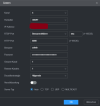
2. I then unplugged the doorbell from Poe switch and hooked up the Poe doorbell to the NVR. It gets a message saying wrong password something along those lines on the NVR . It causes other issues where I had to reboot the NVR back to factory settings. Also I only used the Poe switch for initial DB power up and to change settings and it’s not being used.
Can anyone help?
I bought a camera system along with NVR from empire tech and got 6 of his cameras and I bought a reolink doorbell camera. I am having a tough time linking the reolink DB to the NVR.
This is what I have done so far.
1. Bought a Poe switch to login to reolink app and power doorbell. I went into advance settings on the reolink app and enabled rstp and ONVIF. It shows me the the default port of 8000 for onvif and 555 for rstp.
2. I then unplugged the doorbell from Poe switch and hooked up the Poe doorbell to the NVR. It gets a message saying wrong password something along those lines on the NVR . It causes other issues where I had to reboot the NVR back to factory settings. Also I only used the Poe switch for initial DB power up and to change settings and it’s not being used.
Can anyone help?